

Integrate Inflation/Escalation And Currency Exchange Into Your Cost Model
A powerful tool for building custom Inflation/Escalation libraries which can be accessed seamlessly from ACE.
Librarian is a powerful application that lets any user or organization build and maintain their own Inflation/Escalation Indices
Version 8.3 delivers a redesigned interface, new analyst tools for building and comparing user indices, enhanced reporting with history mode, and full Currency Exchange support.
Release Highlights:
- Enhanced interface to view, manage, and compare organization distributed indices/rates
- Improved analyst ability to build and manage user indices/rates
- Supports changes to Inflation/Escalation best practices
- Enhanced reporting and analytics including history mode
- Fully supports Currency Exchange
Feature Details
Inspired by the ACE 8.x dashboard design
New Librarian Interface
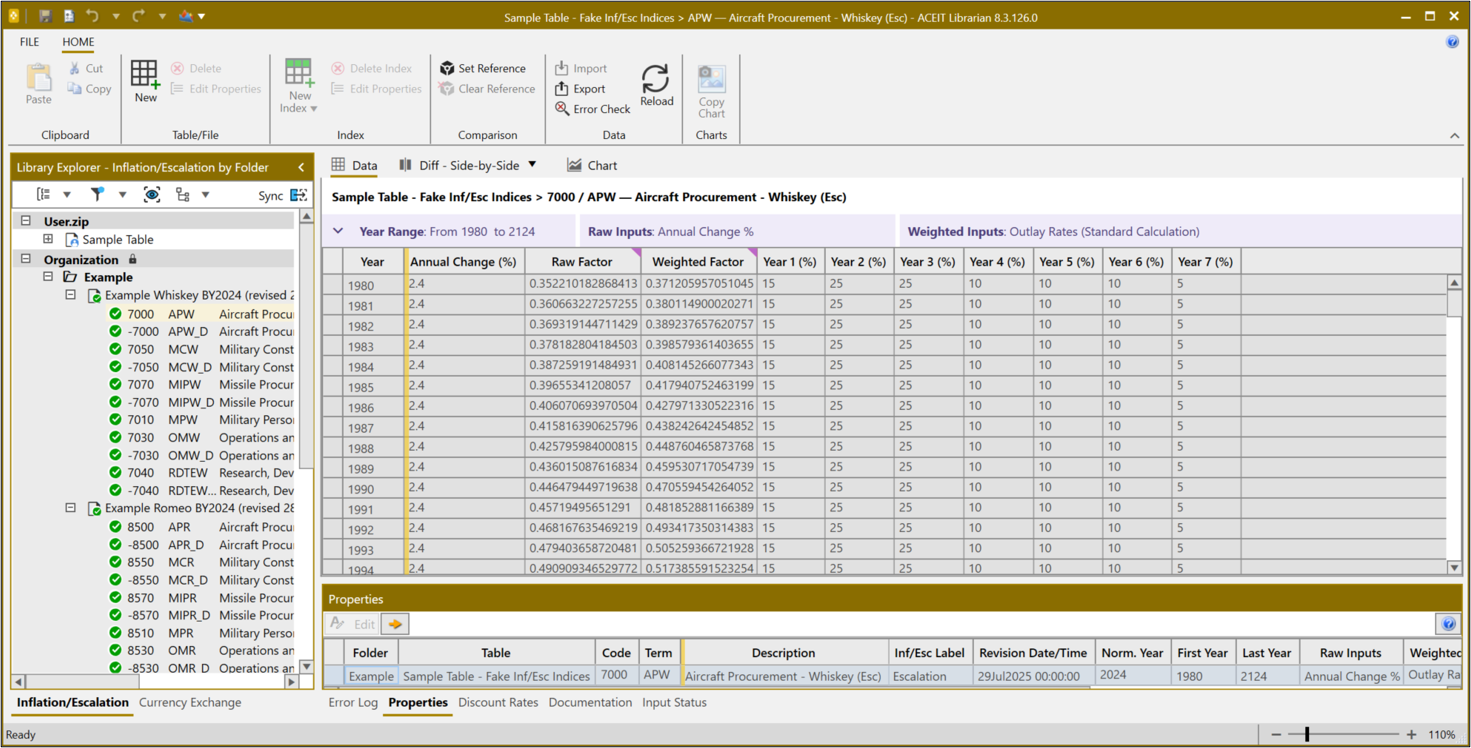
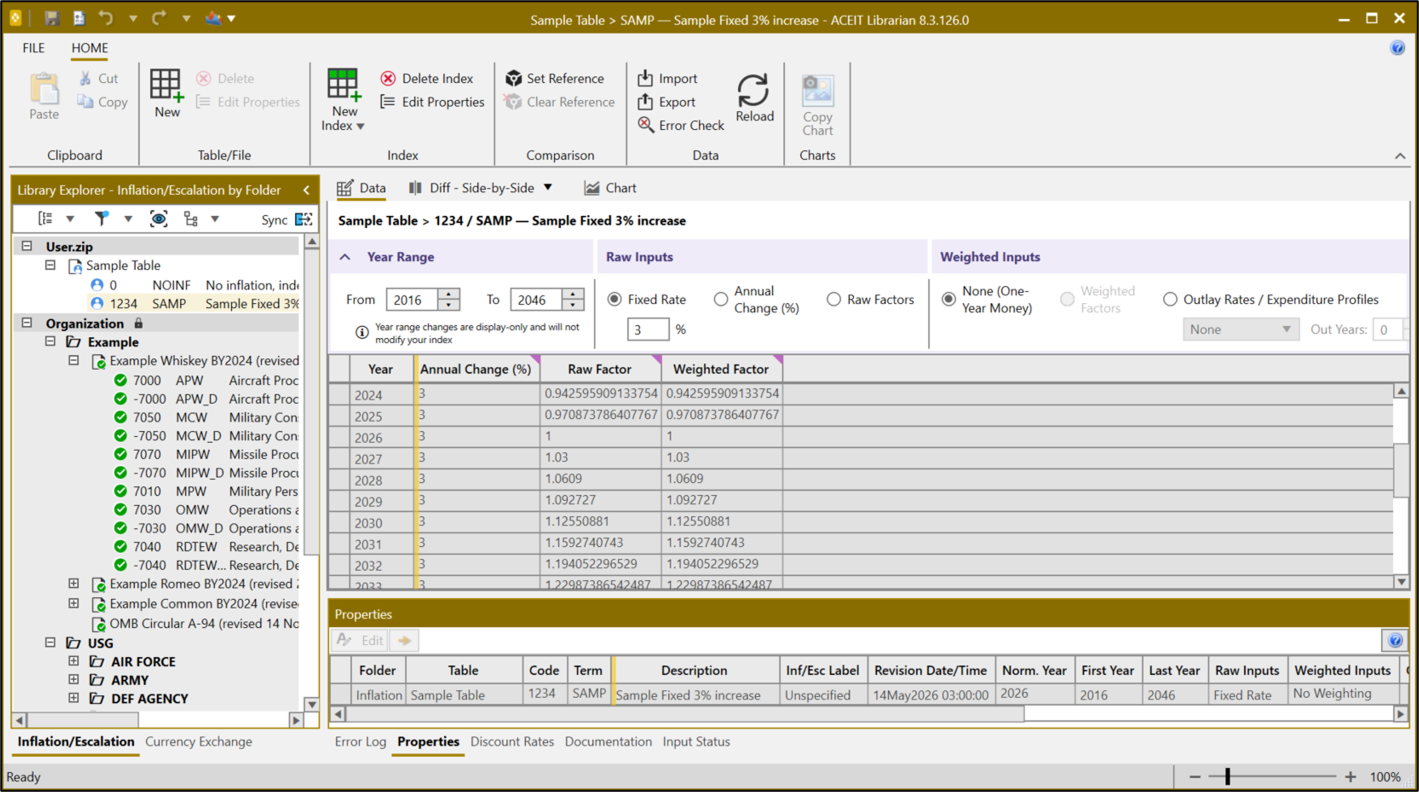
The Librarian workspace has been fully redesigned to align with the ACE 8.x dashboard. A collapsible Library Explorer on the left lets analysts navigate tables by folder, the Main Pane displays and edits index data, and the Content Pane below surfaces related properties — all without leaving a single window.
- Library Explorer — Navigate tables and folders
- Main Pane — View and edit index data
- Content Pane — View and edit related information
Compare two tables or indices side-by-side
Compare and Analyze
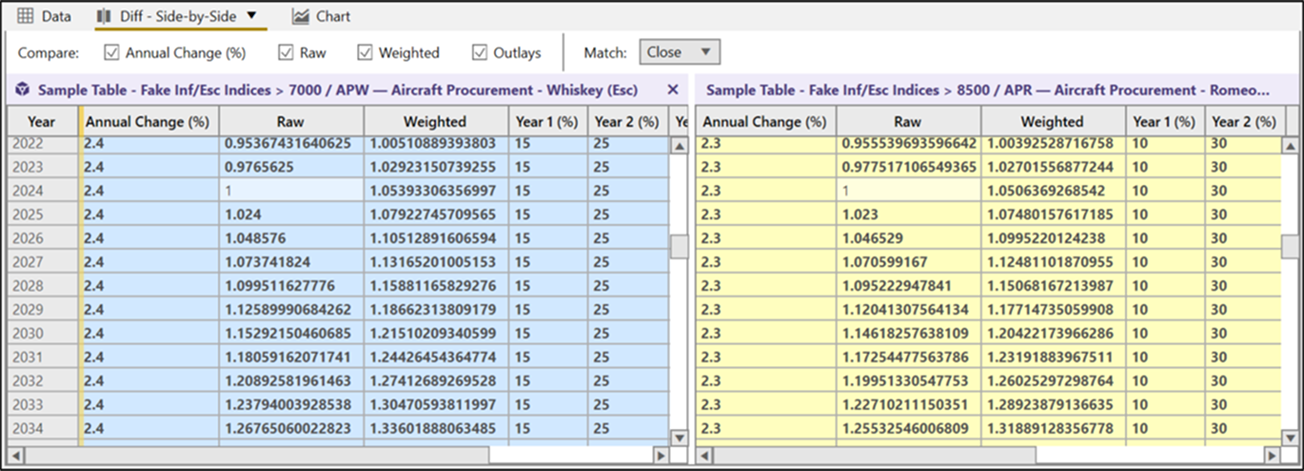
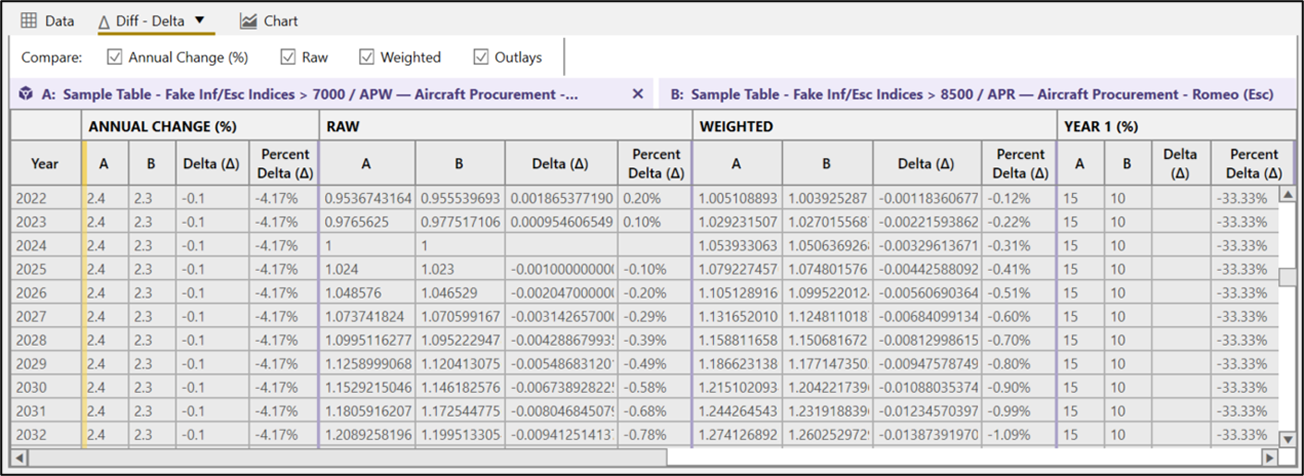
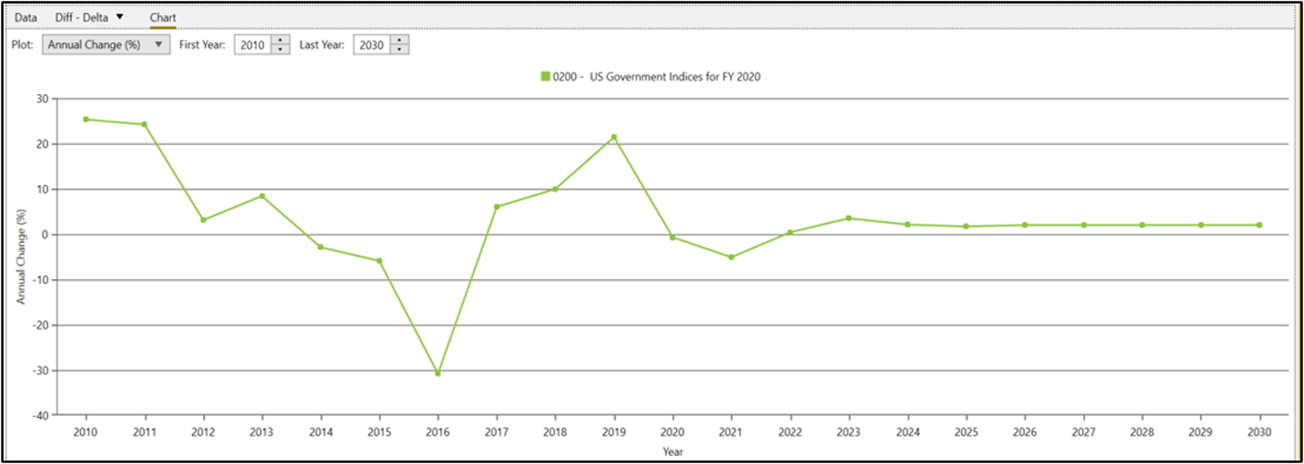
Analysts can now open any two indices in a synchronized side-by-side view, toggling between raw data and a delta comparison that surfaces year-by-year percentage differences. A built-in chart view plots annual change rates across the full projection range for quick visual analysis.
- Compare Side-by-Side — Two indices in one synchronized view
- Delta Comparison — Year-by-year percentage differences
- Chart Rate Values — Visual plot across the projection range
Create, edit, and view user tables and indices
Create Your Own Indices
Any user or organization can now build custom Inflation/Escalation indices from scratch. Multiple input pathways — fixed rate, annual change percentage, or raw factors — are available alongside configurable weighted inputs including outlay rates and expenditure profiles.
- Fixed Rate — e.g. 3% fixed from 2016 to 2046
- Annual Change (%) — Year-by-year percentage input
- Weighted Inputs — Outlay rates or expenditure profiles
Explore the prediction history of an index
Examine Index History
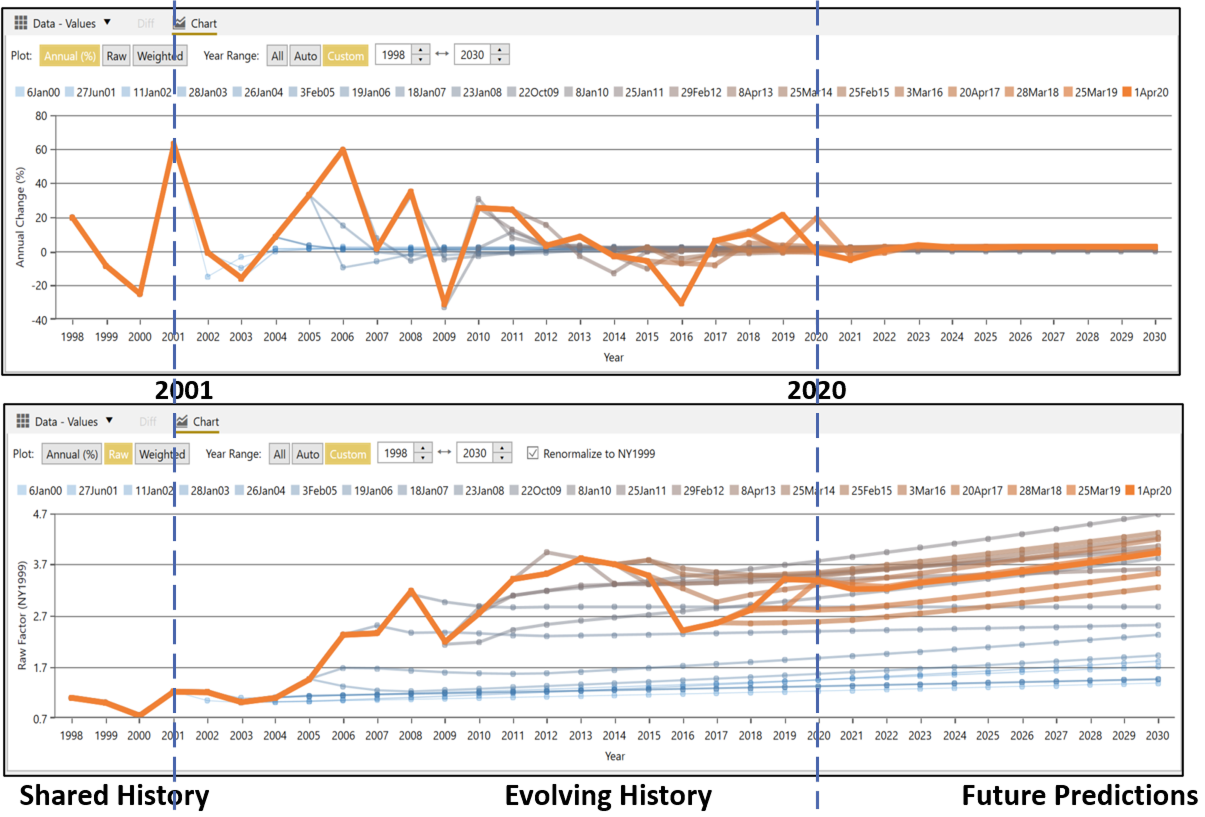
History feature examines a single index across its revision history, showing how its predicted values have changed with each update. Chart view displays each past revision as a separate line, making it easy to see when and how the index shifted over time.
- Shared History — Verify that older revisions agree on actuals before a program's base year
- Evolving History — Pinpoint when an index shifted — useful for explaining cost growth between estimates
- Future Predictions — See what the current revision projects going forward to support new estimate assumptions
Explore the entire ACEIT Suite


eNewsletter 
Publication containing ACEIT tips, support alerts, upcoming classes, and more!
View the archive >